In short ⚡
Freight forwarding software is an all‑in‑one operational backbone that replaces emails and spreadsheets by centralizing quoting, booking, documentation, customs support, tracking, and billing in a single platform, giving forwarders real‑time visibility, automation, and shipment‑level profitability while reducing errors, manual rework, and margin leakage across air, sea, road, and multimodal transport.In this article, you will find what freight forwarding software does, its key modules, how modern tools cut costs and improve customer experience, the main software types and deployment models, and a step‑by‑step method to choose the best solution for your forwarding operations.
We hope you’ll find this article genuinely useful, but remember, if you ever feel lost at any step, whether it’s finding a supplier, validating quality, managing international shipping or customs, DocShipper can handle it all for you!
What freight forwarding software actually does for your business

If you’re still running ops on emails, spreadsheets, and a shared drive, you’ve already felt the pain, and that’s exactly what freight forwarding software is built to fix.
It’s not “just a tool”, it’s your operational backbone for import export, multimodal transport, customs clearance, and customer communication, all in one freight forwarding system.
From experience, the moment volume spikes or a key operator goes on leave, manual workflows crack fast: a missed Incoterms note, an outdated freight rate, or a bill of lading draft sitting in someone’s inbox.
Quick checklist, if you tick 3+ boxes, you’re already overdue for freight software:
- You retype the same shipment details into 3 or more files or portals.
- Your team “hunts” for the latest quote, routing, or HS code in email threads.
- Shipment tracking updates depend on someone remembering to check carrier websites.
- Profitability is calculated after the month closes, not shipment by shipment.
- Customs brokerage documents get renamed, re-uploaded, and lost in version chaos.
- Customers ask for ETAs and you answer with “we’re checking with the carrier”.
Here’s the thing, a freight forwarding system software doesn’t replace expertise in supply chain management, it gives your expertise a reliable structure you can scale.
And yes, SaaS matters because it changes how quickly you can standardize processes across teams, branches, agents, and 3PL partners.

Siam Shipping Info
We help forwarders structure scalable workflows with the right freight software, aligned to real import export operations, not theory.
From spreadsheets to a single platform: core workflows a freight forwarding system replaces
When you implement freight forwarding software, the first win you’ll notice is that “copy-paste logistics” disappears.
Your freight forwarding system replaces fragmented workflows with one operational record from quote to proof of delivery, across ocean freight, air freight, road freight, rail freight, LTL, and FTL.
Micro-story you’ll recognize: you negotiate EXW with a supplier, but your operator assumes FOB, the pickup gets booked late, demurrage starts ticking at the port, and suddenly your margin is gone.
In a unified freight forwarding system, Incoterms, lead time commitments, cargo handling requirements, and routing rules live inside the shipment file, not in someone’s memory.
Core workflows freight shipping software typically centralizes:
- Quoting and tendering: rate management, carrier schedules, surcharges, and approval workflows.
- Booking and dispatching: routing, consolidation, transshipment planning, and pickup delivery coordination.
- Documentation: bill of lading, commercial invoice packs, packing lists, and freight insurance certificates.
- Customs clearance support: harmonized system code capture, duty and taxes estimates, and broker handoffs.
- Tracking and milestones: ETD, ETA, gate-in, customs release, last mile delivery, POD.
- Billing and cost control: accruals, supplier invoices, profitability per shipment, per customer, per lane.
Workflow, what “one platform” looks like in real life:
1) Build a quote using stored freight rates and service levels, then lock assumptions like Incoterms and transit time.
2) Convert quote to shipment, auto-create tasks for documents, booking, and customs clearance.
3) Assign carriers, confirm pickup, and publish milestones to the customer portal.
4) Track exceptions, like rolled vessels, holds, or warehouse delays, and trigger alerts.
5) Reconcile costs vs sell, issue invoices, and push reporting to finance automatically.
One more insider detail, many forwarders underestimate how much time disappears into “status chasing”.
A modern freight software setup gives your team fewer places to look, fewer updates to type, and fewer mistakes to apologize for.
Key modules to look for: quotes, operations, customs, tracking, and accounting
Not all freight forwarding software is built the same, and you’ll spot it instantly when you map your daily workload to modules.
The “best freight forwarding software” for you is the one that matches your shipment mix, your customer expectations, and your compliance reality.
Micro-story: you ship air weekly, a customer asks for faster routing, you quote based on last month’s fuel surcharge, and your profit evaporates when the carrier invoice lands.
With strong rate and cost modules, your air freight forwarding software workflow keeps buy rates, sell rates, minimums, and accessorials aligned in the same place.
Modules you should evaluate in any freight forwarding system software:
- Quotes and rates: tariff tables, spot requests, margins, validity dates, surcharge automation, and lane analytics.
- Operations: shipment files, task management, consolidation, warehousing touchpoints, and exception handling.
- Customs and compliance: HS code logic, document sets, broker collaboration, and audit trails for cross-border shipping.
- Tracking: milestone-based updates, carrier integrations, customer portals, and proactive notifications.
- Accounting: accruals, multi-currency, credit control, job costing, and integration with ERP or bookkeeping tools.
| Module | What you gain operationally | What you avoid |
| Quote to shipment | Faster turnaround, consistent assumptions, standardized service levels | Re-keying errors, margin leakage from outdated freight rates |
| Customs documentation | Cleaner handoffs with customs brokerage, fewer missing docs | Delays, penalties, and “where’s the invoice?” chaos |
| Tracking and visibility | Predictable ETAs, fewer inbound calls, better fulfillment planning | Status chasing, missed last mile delivery windows |
| Job costing and billing | Profit per shipment, per customer, per mode, faster cash cycle | End-of-month surprises, disputes, unreconciled vendor bills |
One practical tip, ask vendors how they align operations and finance, because disconnected billing ruins reporting.
And if you move sensitive data across borders, confirm the SaaS security posture, access controls, and audit logs, the FIATA community frequently stresses traceability and documentation discipline in forwarding operations.
Siam Shipping Advice
We help you match features to real shipment mix and margins, so your investment supports growth, not complexity.
Looking for a Reliable Shipping & Sourcing Partner?
How modern freight software cuts costs and boosts customer experience
Modern freight software cuts costs in boring ways that matter, fewer mistakes, fewer manual touches, fewer “we’ll get back to you” moments.
At the same time, it upgrades your customer experience because visibility and communication stop being optional, they become built-in.
You’ve probably dealt with customers who demand Amazon-like tracking on containerization and cross-border shipping.
That pressure doesn’t go away, so you either systematize it with freight shipping software, or you hire more people just to answer emails.
Checklist, where cost and CX improvements usually show up first:
- Fewer reworks on documents like bill of lading drafts and commercial invoices.
- Less detention and demurrage due to earlier exception flags and cleaner milestones.
- Reduced claims thanks to better freight insurance handling and photo documentation.
- Higher on-time performance through better routing and dispatching discipline.
- More predictable cashflow via faster invoicing and fewer billing disputes.
Siam Shipping Alert
Automate milestones and customer updates before delays, detention, and angry calls erode your margins and reputation.
Real-time visibility, automation, and error reduction across air, sea, and road
The biggest jump with freight forwarding software is that you stop managing shipments by “memory”, you manage them by milestones.
That’s how you get real-time visibility across ocean freight, air freight, and road freight without burning your team out.
Micro-story: a container gets rolled, the carrier updates their portal, but your customer learns about the delay from their buyer, not from you.
With automation in a freight forwarding system, rolled bookings, customs holds, and missed cutoffs trigger alerts and customer updates before the angry call arrives.
What automation typically covers in a modern freight forwarding system software:
- Milestone tracking: ETD/ETA updates, gate-in/out, customs release, POD capture.
- Rules-based notifications: exception alerts to ops, proactive emails to customers.
- Document workflows: templates, mandatory fields, version control, approvals.
- Operational tasking: auto-created checklists per mode, per lane, per customer SOP.
Workflow, how you turn visibility into a customer advantage:
1) Define milestones by mode, air, sea, road, rail, including LTL and FTL specifics.
2) Connect carriers and data sources, or standardize manual updates into one screen.
3) Publish tracking to a portal, not PDFs, and set exception thresholds.
4) Automate customer notifications with context, new ETA, reason, next action.
5) Review weekly exceptions to fix root causes in routing, warehousing, or carrier performance.
That’s the difference between “we ship freight” and “we run supply chain management you can trust”.
It also reduces costly human errors, like mixing consignee details, misreading Incoterms, or forgetting to book a last mile delivery slot.
Data, analytics, and AI in freight forwarding system software
Once your freight forwarding software captures clean operational data, analytics stops being a dashboard gimmick and becomes a margin tool.
This is where freight forwarding system software quietly changes how you negotiate, forecast, and scale.
Micro-story: you think a customer is “high volume, great account”, then job costing shows repeated accessorials, storage, and re-deliveries from poor inventory management at destination.
With reporting, you can renegotiate service terms, adjust quoting, or change carriers, before the next quarter wipes you out.
Analytics you should expect from the best freight forwarding software:
- Lane profitability: margin by origin-destination, by mode, by carrier, by customer.
- Exception analytics: top delay causes, customs clearance bottlenecks, recurring warehouse dwell time.
- Forecasting: seasonality, capacity constraints, lead time trends.
- Service performance: on-time pickup, on-time delivery, claims rate, damage incidence.
| Capability | Basic freight software | Modern SaaS freight forwarding system |
| Reporting | Static exports, manual cleanup | Live dashboards, scheduled reports, role-based KPIs |
| Data quality | Inconsistent fields, hard to audit | Validation rules, mandatory milestones, audit logs |
| AI support | Limited or absent | Rate suggestions, anomaly detection, smarter exception triage |
AI won’t run your forwarding desk for you, but it can flag anomalies like outlier carrier invoices, unusual duty and taxes patterns, or shipments at risk of missing cutoffs.
And when you combine that with disciplined SOPs, your team spends less time firefighting and more time improving distribution, fulfillment, and customer retention.
If you’re exploring tools and want an operational outside view, we can help you map requirements, validate workflows, and connect the software choice to real-world execution, the same way we already support import export projects end to end at DocShipper.
You can start by reviewing our logistics services here: DocShipper international freight solutions.
Siam Shipping Info
Turn shipment data into pricing leverage and cleaner margins with analytics configured around your lanes, carriers, and SOPs.
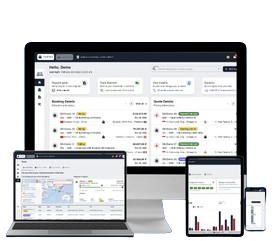
DocShipper Platform
One platform. Your entire supply chain
Sourcing, freight, customs & documents, all centralised, all visible, 24/7.
Freight software types and deployment options you should compare

You cannot choose the right freight forwarding software until you understand the different deployment models and functional scopes available on the market.
Your decision will directly impact scalability, cybersecurity, integration capabilities, and long term ROI.
- On-premise software, installed on your own servers and managed internally
- Cloud-based SaaS, hosted by the provider and accessed via browser
- Hybrid solutions, combining local infrastructure with cloud modules
- Modular platforms, where you activate only selected features
- All-in-one ERP systems, integrating freight, accounting, CRM, and BI
| Criteria | On-premise | SaaS Cloud | Hybrid |
| Initial investment | High CAPEX | Low subscription fee | Medium |
| Maintenance | Internal IT team | Vendor managed | Shared responsibility |
| Scalability | Limited | Highly scalable | Moderate |
| Security updates | Manual | Automatic | Mixed |
| Remote access | Complex setup | Instant browser access | Partial |
For most forwarders aiming to grow regionally or internationally, SaaS models provide faster deployment and lower risk.
You reduce IT dependency while gaining automatic updates and continuous feature improvements.

Siam Shipping Advice
We assess scalability, integrations, and ROI to recommend a deployment model aligned with your growth and compliance exposure.
How to choose the best freight forwarding software for your company
You should never start with features, you must start with your operational pain points and growth objectives.
Your selection process should follow a structured evaluation workflow.
- Map your current workflows, quoting, booking, documentation, billing, reporting
- Identify bottlenecks, manual rework, duplicate entries
- Define must-have integrations, customs, carriers, accounting tools
- Set clear KPIs, cost per shipment, lead time, error rate
- Request demos using your real shipment scenarios
- Evaluate data migration and onboarding support
- Assess total cost of ownership over 3 to 5 years
You must also evaluate the vendor, not just the product.
Your software partner will impact your operations daily.
| Evaluation Area | Questions You Should Ask |
| Industry expertise | Do they specialize in freight forwarding? |
| Compliance | Does it support customs and Incoterms management? |
| Integration | API availability with carriers and ERP? |
| Scalability | Can it support multi-branch operations? |
| Support | 24/7 assistance and onboarding guidance? |
At DocShipper, we see companies underestimate change management.
You should plan internal training and assign a digital champion to ensure successful adoption.
Conclusion
You now understand that choosing the right freight forwarding software is not a technical upgrade, it is a strategic transformation.
Your competitiveness increasingly depends on visibility, automation, and data driven decisions.
- Compare deployment models carefully, SaaS often provides faster ROI
- Align the software with your real operational bottlenecks
- Evaluate integration capabilities and scalability
- Prioritize automation to reduce errors and manual workload
- Select a vendor that understands freight operations deeply
- Plan onboarding and change management from day one
If you want to digitize your logistics flows and strengthen margins, we can guide you through selecting and implementing the right solution.
At DocShipper, we combine operational freight expertise with digital transformation support to help you move toward a fully optimized workflow.
FAQ | Freight forwarding software: how to digitize your operations and grow margins
A simple way to test this is to look at how often operations break when something abnormal happens. If a single sick leave, a carrier disruption, or a volume spike creates missed cutoffs, manual rework, or billing delays, your tools are already at their limit. When service quality depends on specific people instead of documented workflows in one system, you’ve outgrown spreadsheets and generic tools, even if day‑to‑day still “works”.
The three big traps are buying for “shiny” features instead of real workflows, underestimating data migration, and ignoring user adoption. Many teams sign with a vendor after a polished demo, then realize their rate structures, customer SOPs, and templates weren’t mapped correctly. If users find the system slow or confusing, they’ll go back to email and Excel. The right software is the one your operators actually use as their primary workspace, not the one with the longest feature list.
A gradual rollout is usually safer, especially for small to mid-size forwarders. Start by digitizing one lane, one mode, or one key customer, run both systems in parallel for a short period, then expand once templates, SOPs, and integrations are validated. This phased approach lets you catch configuration gaps early, avoid service disruptions, and build internal champions before you move everything onto the platform.
The goal is not to import “everything”, but to import what you’ll actually use for operations and analytics. Typically, you’ll migrate master data (customers, vendors, lanes, rates) and a limited history of shipments, often 12–24 months. Clean duplicates, normalize codes, and align naming conventions before import. If raw legacy data is messy, archive it in read‑only storage and only load curated datasets into the new system so you don’t pollute dashboards from day one.
For most forwarders, yes, provided you plan for outages. Modern SaaS systems are hosted on highly redundant infrastructure, so the weak point is usually your local connection. The practical mitigation is to ensure at least one backup line (4G/5G hotspot or secondary ISP) and to define a simple offline SOP: which key documents are cached locally, who contacts carriers and customers, and how updates are entered once connectivity is restored. If connectivity is extremely unstable in your locations, you may want to compare hybrid options, but for the vast majority, SaaS reliability outweighs local outages.
You reduce lock-in risk by negotiating data portability and integration options upfront. Ask vendors to confirm, in writing, that you can export all operational and financial data in standard formats (CSV, XLSX, or via API), and clarify any costs to do so. Preference should go to systems with open APIs and documented schemas rather than closed ecosystems. Internally, maintain your own data dictionary (how you define customers, lanes, charges) so that if you ever switch, you don’t have to re-invent your entire information structure.
Read more
Looking for more? Check out these articles.
Need Help with
Logistics or Sourcing ?
First, we secure the right products from the right suppliers at the right price by managing the sourcing process from start to finish. Then, we simplify your shipping experience - from pickup to final delivery - ensuring any product, anywhere, is delivered at highly competitive prices.
Fill the Form
Prefer email? Send us your inquiry, and we’ll get back to you as soon as possible.
Contact Us